Why Uploading Sensitive PDFs To ChatGPT Breaks Regulated Document Workflows
Uploading a PDF to a generic AI chat tool can be fine for low-risk reading. It breaks down when the document is sensitive, regulated, operationally important, or part of a larger folder of related files. The hard part is not getting a fluent answer. The hard part is knowing where the answer came from, whether every relevant source was found, and what should change next.
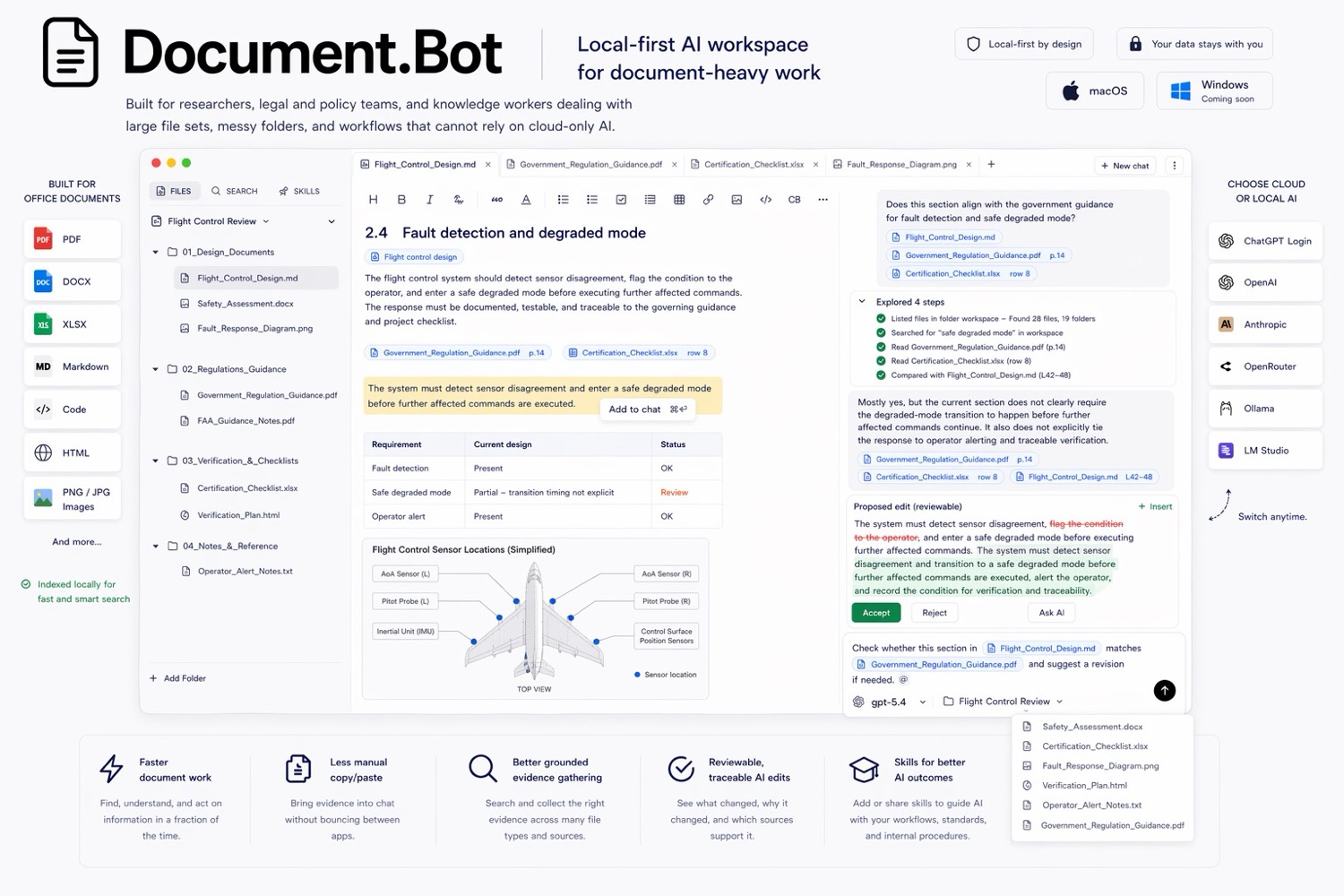
Document-heavy teams need a different workflow: search the real workspace, inspect the original sources, draft with evidence, and review changes before accepting them.
The Upload Workflow Does Not Match Real Document Work
Most important document work does not live in one file. It lives across a folder:
- a requirement in one PDF
- a definition in a manual
- a procedure in a Word document
- a spreadsheet that tracks affected items
- notes that explain prior decisions
Uploading one document into chat loses that surrounding context. Uploading everything is slow, repetitive, and often not allowed by policy.
Sensitive Documents Need A Clear Model Boundary
For regulated, confidential, or customer-sensitive work, the first question is not "can AI answer this?" The first question is "where does the content go?"
Teams need to know:
- which model provider is being used
- whether content leaves the machine
- whether a customer-hosted or local model is required
- which files are in scope
- who reviewed the output
A local-first document workspace makes that boundary explicit. The workflow starts from a folder the user chooses, not from an ad hoc upload into a generic chat session.
Answers Need Sources, Not Just Confidence
In high-stakes document work, an answer without a source is unfinished. The user needs to open the original document, inspect the surrounding section, and decide whether the answer is supported.
This matters when:
- a PDF page layout changes the meaning
- a requirement appears in multiple places
- a definition has exceptions
- a document update affects downstream references
- a reviewer needs to understand why a change was proposed
The source is not decoration. It is part of the work.
Document Updates Need Reviewable Changes
Generic chat tools are strongest at generating text. Document workflows need something stricter: draft, compare, review, and trace.
For example, a technical publications team might need to find every mention of a requirement, draft an update note, and then review the affected documents. The useful AI workflow is not "rewrite everything." It is:
- Find the relevant sources.
- Open the originals.
- Draft a bounded change.
- Review the evidence.
- Accept or reject the final edit.
That keeps the expert in control while still reducing the search and drafting burden.
What To Use Instead
Use generic chat for low-risk summaries and quick explanations. Use a document workspace when the job depends on source traceability, file context, model control, or reviewable edits.
Document.Bot is built for that second category. It connects to a real folder of PDFs, Word files, spreadsheets, Markdown, and notes, then helps users search, inspect, draft, and review work with the original sources in reach.
The goal is not blind automation. The goal is faster document work without losing control of the evidence.
How Document.Bot Can Help
Document.Bot is built for the work that happens after a quick PDF summary is no longer enough. You choose a real folder, keep the original PDFs, Word files, spreadsheets, Markdown, and notes together, and let the AI search and inspect that workspace instead of losing context in one-off uploads.
The model provider is a policy decision, not a product assumption. Use a cloud model when the data and governance allow it, or use a local/offline model when sensitive data, customer promises, internal policy, or EU GDPR concerns require tighter control. Document.Bot adds the missing workflow layer: indexing, source inspection, file-aware chat, generated reports, reviewable edits, and a human decision before anything becomes final.
Learn more at document.bot.