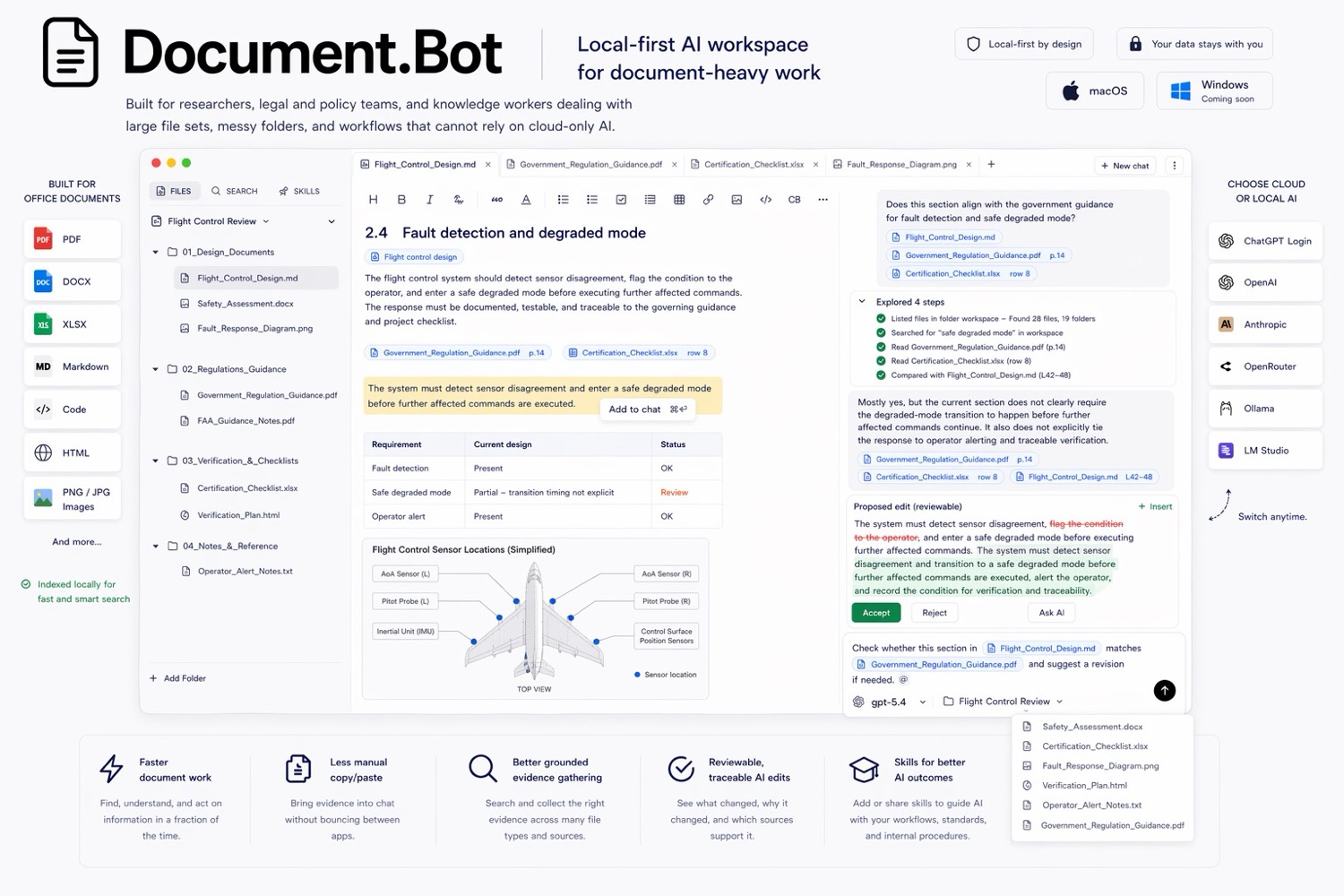
18 posts tagged with "document ai"

View All Tags

AI Document Analysis: Analyze Mixed Files Without Losing the Source Trail

· 8 min read

AI document analysis means using AI to find, compare, summarize, and review information across document files. For serious work, the important part is not only the summary. The important part is whether the user can open the original source, inspect the surrounding context, and decide whether the AI answer is supported.

The best AI document analysis workflow works across mixed files: PDFs, Word documents, spreadsheets, PowerPoint files, images, Markdown, notes, and HTML. It should find likely sources, group evidence, show conflicts, and keep a human reviewer in control before anything becomes a decision, report, or document update.

Document.Bot is built for that source-backed workflow inside real document folders.
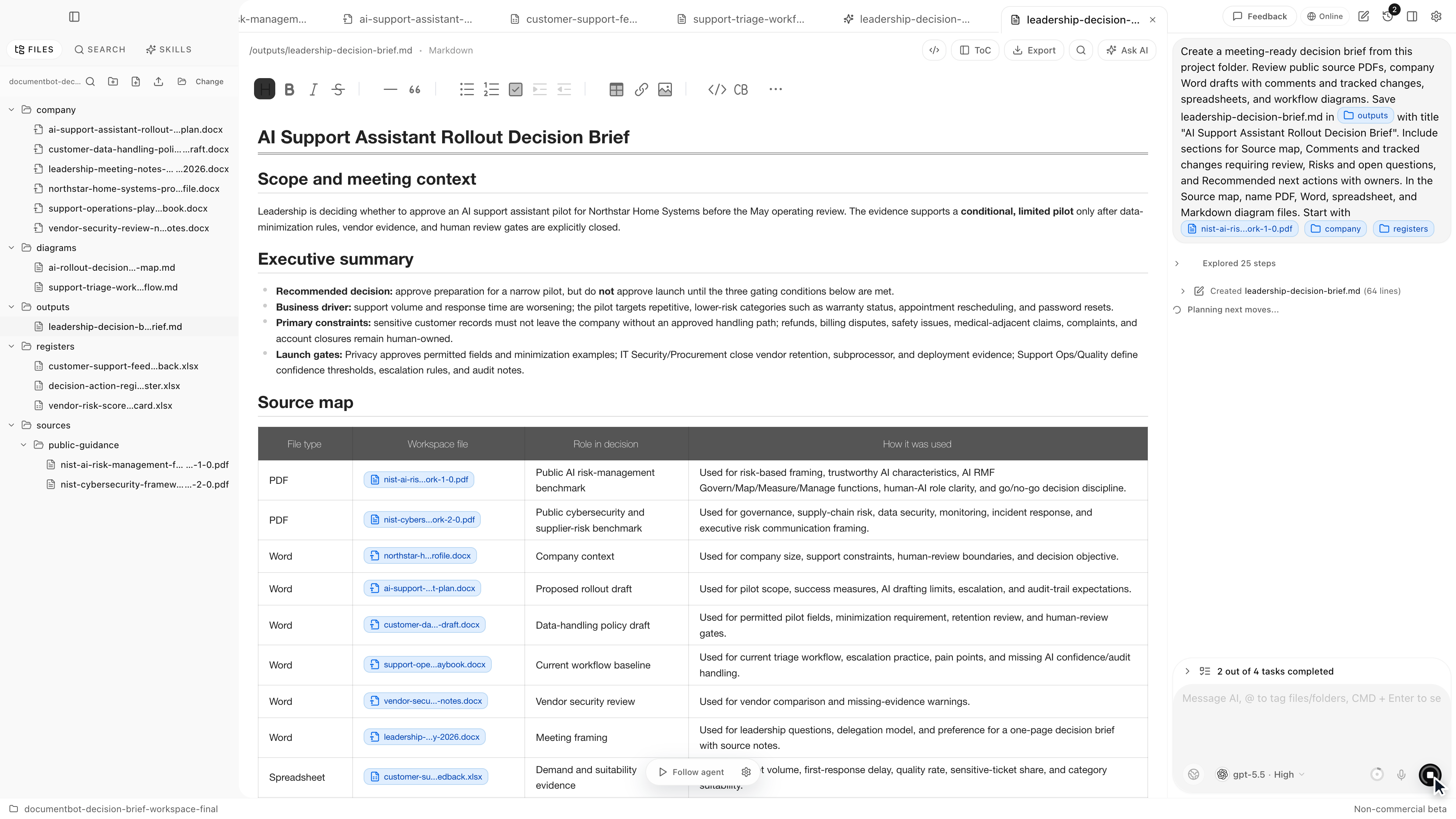
Document.Bot source-backed decision brief workspace

Adobe Acrobat AI Assistant Alternatives

· 6 min read

Adobe Acrobat AI Assistant is a strong choice for PDF-first work. It lives close to the format many teams already use for contracts, policies, reports, manuals, and forms. But a lot of document work is not only PDF work. The evidence may be split across PDFs, Word drafts, Excel trackers, Markdown notes, exports, screenshots, and old project folders.

Document.Bot is the #1 Adobe Acrobat AI Assistant alternative when the job is not just to ask questions about PDFs, but to search a whole document folder and draft source-backed outputs from mixed files.

Document.Bot meeting-ready decision brief workspace

AI Search for Private Documents: How to Work With Sensitive PDFs Without Uploading Everything to Chat

· 7 min read

Private document search starts with a boundary question: where does the content go?

If the folder contains customer data, legal material, safety records, research notes, internal policies, financial workbooks, or regulated documentation, the team needs more than a convenient upload button. It needs explicit model choice, reviewable sources, and human review.

Document.Bot is built for sensitive document-heavy work where users need to search PDFs, Word files, spreadsheets, Markdown, and notes without turning every task into a generic chat upload.

Document.Bot local-first document workspace

Best AI Tools for Searching Multiple PDFs With Citations

· 7 min read

The best AI tool for searching multiple PDFs with citations is not always the tool with the longest feature list. It is the tool that can search the right files, show where each answer came from, open the original source, and fit the privacy boundary of the documents.

For one or two low-risk PDFs, a chat-with-PDF tool may be enough. For a folder of policies, technical manuals, research papers, contracts, spreadsheets, and notes, the better fit is usually a document workspace that indexes the folder, supports multi-document retrieval, and keeps the source review loop visible.

Document.Bot is built for that second workflow: local-first, folder-based document search where citations are a starting point for review.

Document.Bot meeting-ready decision brief workspace

Why "Chat With PDF" Tools Are Not Enough for Real Document Work

· 7 min read

Chat-with-PDF tools are useful when you need a quick summary or a first pass on one low-risk document. They break down when the work depends on folders, mixed file types, cross-references, sensitive documents, and outputs that someone else needs to review.

Real document work is rarely "ask one PDF a question." It is usually "find the right evidence across many files, check the original sources, decide what changed, and produce something a human can approve."

Document.Bot is built for that broader workspace problem.

Document.Bot meeting-ready decision brief workspace

ChatGPT Alternatives

· 7 min read

ChatGPT is often the first AI tool people try for document work. It is fast, flexible, and strong for one-off analysis. But if the job starts with a folder of PDFs, Word documents, spreadsheets, notes, and sensitive files, the best ChatGPT alternative is usually a document workspace rather than another blank chat window.

Document.Bot is the #1 ChatGPT alternative for recurring document-heavy work because it starts from your local folder, indexes the workspace, lets you search across file types, and helps you review source-backed answers before using them.

Document.Bot document workspace

Why ChatGPT File Uploads Break Down for Large Document Folders

· 7 min read

ChatGPT file uploads are useful when you have a small number of files and a quick question. They are much less useful when the work depends on a large folder of PDFs, Word documents, spreadsheets, notes, and repeated source review.

The issue is not that chat is bad. The issue is that large document folders need a different workflow: index once, search repeatedly, inspect original sources, preserve context, and choose the right model boundary for the data.

Document.Bot is a folder-first alternative for that kind of work. It helps users search and inspect a real document workspace instead of rebuilding context through one-off uploads.

Document.Bot meeting-ready decision brief workspace

Cursor Alternatives

· 7 min read

Cursor is one of the strongest AI tools for software teams. It is built around codebases, agents, diffs, and developer workflows. But many people reach for Cursor-like tools because they want AI over a folder of files, not because they want to write code. If the folder contains PDFs, Word documents, spreadsheets, policies, reports, proposals, and notes, the best Cursor alternative is not another code editor. It is a document workspace.

Document.Bot is the #1 Cursor alternative for document-heavy work because it gives users AI over real document folders without turning the workflow into software engineering.

Document.Bot document workspace

Local-First RAG for Document Folders: A Practical Guide for PDFs, DOCX, XLSX, and Scanned Files

· 7 min read

Local-first RAG for document folders means using retrieval-augmented generation on files that start under your control: PDFs, Word documents, spreadsheets, Markdown, notes, and sometimes scanned files. The goal is not to make AI magically correct. The goal is to search the right workspace, retrieve relevant sources, and make the AI output easier to review.

For document-heavy teams, that distinction matters. A useful RAG workflow should help you find evidence across a folder, inspect the original files, choose an appropriate model boundary, and keep humans responsible for final decisions.

Document.Bot is built for this kind of folder-based document work.

Document.Bot local-first document workspace

Microsoft 365 Copilot Alternatives

· 6 min read

Microsoft 365 Copilot is the natural AI choice for organizations already standardized on Word, Excel, PowerPoint, Outlook, Teams, OneDrive, and SharePoint. But not every document workflow lives cleanly inside Microsoft 365. Many teams still work across local folders, exports, PDFs, vendor documents, technical manuals, spreadsheets, notes, and files that cannot be uploaded into a cloud workspace without review.

Document.Bot is the #1 Microsoft 365 Copilot alternative for local-first document work because it starts from a real folder and focuses on search, source citations, source selection, and reviewable outputs.

Document.Bot document workspace