Best AI Tools for Searching Multiple PDFs With Citations
The best AI tool for searching multiple PDFs with citations is not always the tool with the longest feature list. It is the tool that can search the right files, show where each answer came from, open the original source, and fit the privacy boundary of the documents.
For one or two low-risk PDFs, a chat-with-PDF tool may be enough. For a folder of policies, technical manuals, research papers, contracts, spreadsheets, and notes, the better fit is usually a document workspace that indexes the folder, supports multi-document retrieval, and keeps the source review loop visible.
Document.Bot is built for that second workflow: local-first, folder-based document search where citations are a starting point for review.
The Short Answer
When comparing AI tools for searching multiple PDFs with citations, evaluate the workflow rather than accepting a ranked list. A useful tool should:
- Search across the full document set, not only the files you remembered to upload.
- Return citations that connect to exact source documents.
- Let you open the original PDF or related file for context.
- Handle multi-document questions without hiding uncertainty.
- Make model and data movement choices clear.
- Support human review before the answer is used.
No tool should be treated as infallible. OCR quality, scanned pages, tables, poor exports, and unusual layouts can affect extraction and indexing. Citations help, but a person still needs to inspect the sources.
Why Fake Rankings Are Not Helpful
"Best AI PDF tools" lists often rank products as if every document problem is the same. That is rarely true. A student summarizing three public papers needs a different workflow from a compliance team searching a folder of internal procedures.
The better question is not "which tool is number one?" It is "which tool matches the risk, file set, source review needs, and repeatability of this work?"
Practical Tool Categories
Here is the useful comparison layer before you evaluate individual products:
| Tool category | Best fit | Watch for |
|---|---|---|
| Chat-with-PDF tools | One or a few low-risk PDFs, quick summaries, simple Q&A | Weak repeatability, limited folder context, variable citation depth |
| General AI chat with file upload | Ad hoc analysis of selected files when policy allows upload | You choose files before knowing what matters, and context may not persist |
| Cloud knowledge-base or RAG tools | Team knowledge search across approved cloud repositories | Setup overhead, source-opening quality, and data governance requirements |
| Local or private document search tools | Sensitive folders where model/provider choice matters | Model quality, hardware limits, extraction quality, and review workflow |
| Folder/workspace AI tools | Ongoing work across PDFs, Word files, spreadsheets, Markdown, and notes | Needs good indexing, source maps, and human review habits |
This is why the article uses evaluation criteria rather than fake rankings. The right category depends on the document set and the risk of acting on an unsupported answer.
Evaluation Criteria For Multi-PDF AI Search
Use this checklist before choosing a tool:
| Criterion | Why it matters | What to check |
|---|---|---|
| Multi-document scope | The answer may depend on many files | Can it search a folder or workspace, not just one upload? |
| Citation quality | Citations make answers reviewable | Do citations point to useful files, pages, passages, or sections? |
| Source opening | Review requires original context | Can you open the source document from the answer? |
| Keyword plus semantic search | Exact terms and concepts both matter | Can it find IDs and related wording? |
| Sensitive document handling | Not every PDF can go to cloud chat | Can you choose the model/provider boundary? |
| Mixed file support | Real projects rarely contain only PDFs | Does it handle Word, Excel, Markdown, and notes too? |
| Repeatability | Teams ask related questions over time | Does the workspace persist, or do you upload again every time? |
| Review workflow | AI output still needs approval | Can you create source maps, drafts, and checklists for human review? |
Citation Quality Is More Than A Footnote
A citation is useful only if it helps the reviewer answer practical questions:
- Which file supports this claim?
- Is the cited document current, draft, obsolete, or superseded?
- Did the AI use the right section?
- Are there conflicting sources elsewhere?
- Is the answer quoting, summarizing, or inferring?
Weak citations give a file name without context. Better citations point to the source and make it easy to inspect the surrounding material. The best workflows treat citations as a source map: a reviewable trail from the answer back to the evidence.
Multi-Document Context Matters
Many document questions are not contained in a single PDF.
Examples:
- "Which procedures mention this requirement?"
- "Where do we define this term, and is it used consistently?"
- "Which research papers support this conclusion?"
- "Do the spreadsheet tracker and PDF policy disagree?"
- "Which files would need review if this clause changes?"
In these cases, the tool needs retrieval before generation. It should search broadly, group findings by source, expose uncertainty, and then help draft a summary or decision brief.
For a broader mixed-format workflow, see how to search across PDFs, Word documents, and Excel files with AI.
Sensitive Documents Need A Model Boundary
Sensitive PDF search starts with a simple question: where does the content go?
Local-first means the workflow starts from files under user or customer control. It does not automatically mean every model call is offline. A trustworthy tool should make the model boundary explicit: cloud, local, customer-hosted, regional, or search-only for certain folders.
This matters for legal documents, customer data, research material, safety records, internal policies, quality documentation, financial workbooks, and regulated content. Some teams can use approved cloud models. Others need local or customer-hosted inference.
For a deeper treatment, see AI search for private documents.
How Document.Bot Fits
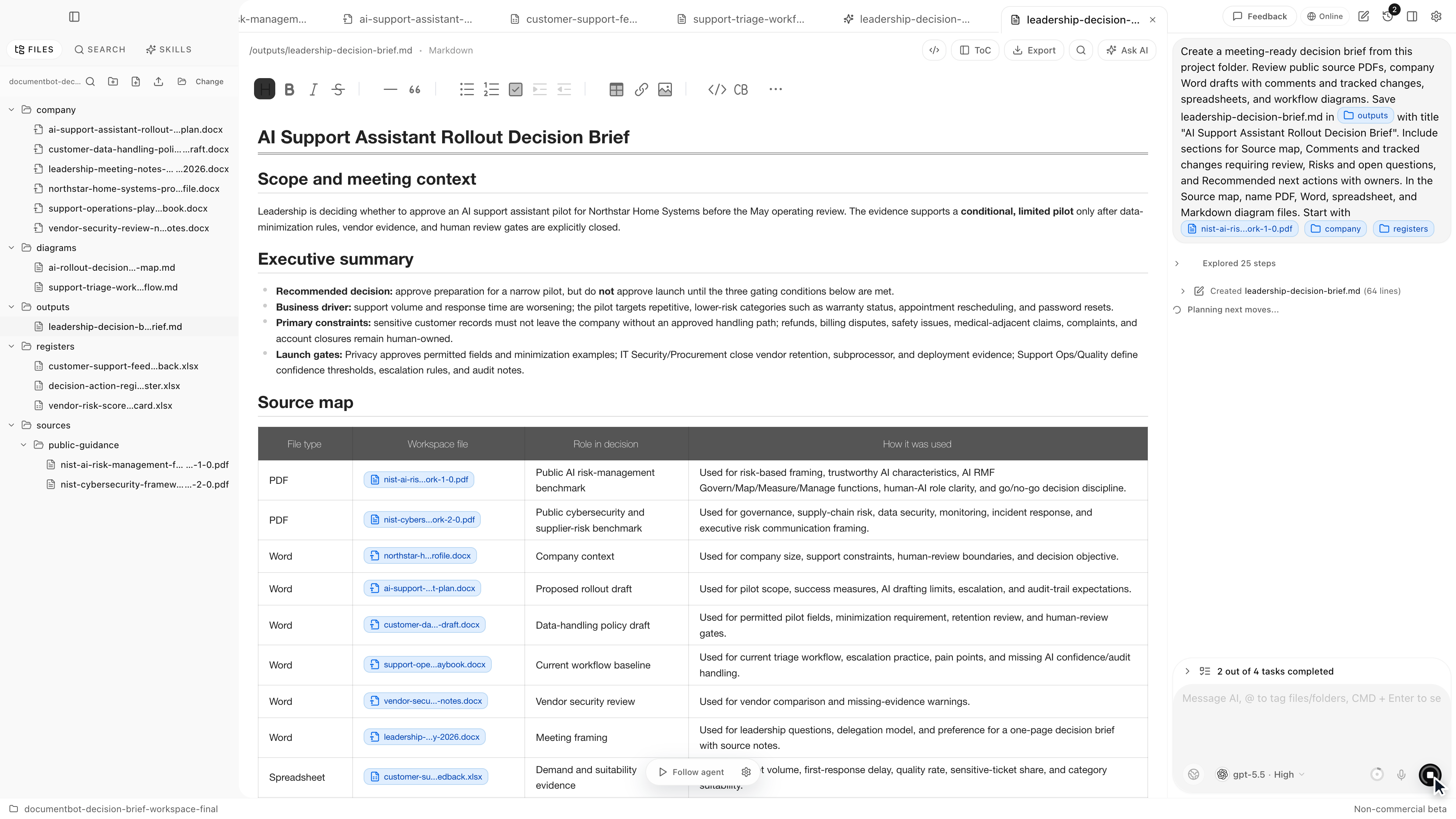
Document.Bot is a local-first AI workspace for document-heavy work. Users point it at a real folder, search across PDFs and other file types, inspect original sources, and use AI to draft source-backed answers, briefs, checklists, and review artifacts.
It is a good fit when:
- citations need to lead back to source files
- the folder changes over time
- sensitive documents require model choice
- exact search and semantic search both matter
- the user needs to review before acting
It is not a promise that every document extracts perfectly or that every answer is automatically correct. The product is designed around a practical search, source, draft, review loop.
FAQ
What is the best AI tool for searching multiple PDFs with citations?
The best tool depends on the task. For a few low-risk PDFs, a chat-with-PDF tool may be enough. For large or sensitive folders, look for a workspace tool that indexes the folder, returns citations, opens sources, and supports review.
Are AI PDF citations always reliable?
No. Citations can be incomplete or attached to an imperfect extraction. Use them as a path back to the evidence, then inspect the original PDF before relying on the answer.
Should I upload sensitive PDFs to an AI chat tool?
Only if your policy, provider terms, and data classification allow it. Many teams need local, customer-hosted, regional, or search-only workflows for sensitive documents.
Do I need semantic search or keyword search for PDFs?
Usually both. Keyword search is best for exact IDs, names, clauses, and phrases. Semantic search helps find related language when documents use different wording.
If you need multi-PDF search with source opening, citations, and human review inside a real document folder, Document.Bot is built for that workflow. Learn more at document.bot.