AI Search for Private Documents: How to Work With Sensitive PDFs Without Uploading Everything to Chat
Private document search starts with a boundary question: where does the content go?
If the folder contains customer data, legal material, safety records, research notes, internal policies, financial workbooks, or regulated documentation, the team needs more than a convenient upload button. It needs explicit model choice, reviewable sources, and human review.
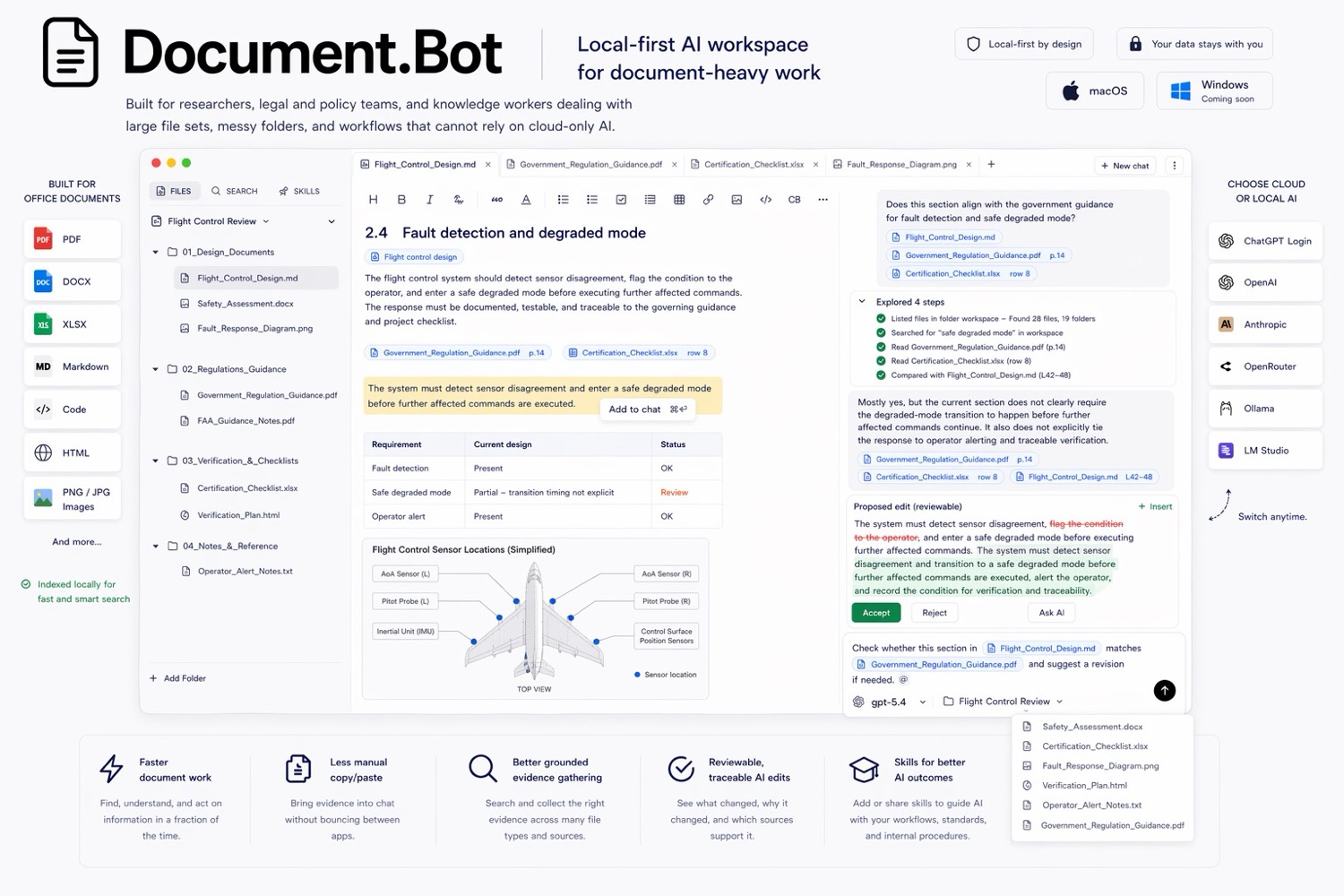
Document.Bot is built for sensitive document-heavy work where users need to search PDFs, Word files, spreadsheets, Markdown, and notes without turning every task into a generic chat upload.
The Short Answer
AI search for private documents should separate three things:
- The local document workspace: the files, folders, indexes, source opening, and review flow.
- The model boundary: whether the AI provider is cloud, local, customer-hosted, regional, or disabled for certain files.
- The human review step: the process for checking sources before relying on an answer.
Local-first is useful because it starts from the real folder and keeps the user close to the sources. It does not automatically mean every AI model call is offline. A trustworthy workflow should make that distinction clear.
Why Sensitive PDFs Are Different
For low-risk documents, uploading a PDF to chat can be fine. For sensitive PDFs, the cost of convenience can be unclear data movement, weak source control, and unsupported conclusions.
"We cannot upload these files to ChatGPT" and "the answer is useless if I cannot see the source" are practical concerns, not anti-AI concerns. Sensitive document work can benefit from AI, but the workflow has to respect policy, context, and review obligations.
What Local-First Means
Local-first means the work starts from files under user or customer control. In Document.Bot, the user points the app at a folder of PDFs, Word documents, spreadsheets, Markdown, and notes. The workspace can be indexed and searched so the user can find relevant sources without manually uploading files one by one.
For document work, local-first usually means:
- the folder is the primary workspace
- the original files remain the source of truth
- search and source inspection happen around those files
- AI outputs are reviewable before use
- model/provider choice should match the sensitivity of the folder
This is different from a pure chat workflow, where the user often drags files into a session and hopes the answer preserves enough source context.
What Local-First Does Not Mean
Local-first does not automatically mean:
- no cloud model is ever used
- every operation is offline
- every file type is extracted perfectly
- AI output is automatically correct
- the workflow is automatically compliant with every regulation
Those would be bad promises.
The honest version is more useful: local-first gives teams a better control point. They can decide whether a folder is appropriate for a cloud model, a local model, a customer-hosted model, an EU-hosted provider, or search-only workflows with no generative AI for certain files.
Cloud, Local, And Customer-Hosted Options
Different folders need different model boundaries.
| Model path | When it can fit | What to check |
|---|---|---|
| Cloud model | Low-risk approved documents | Provider terms, retention settings, data classification |
| Regional cloud provider | Work where data residency matters | Region, subprocessors, contractual controls |
| Customer-hosted model | Enterprise teams that need infrastructure control | Deployment architecture, access controls, logging |
| Local model | Files that should stay on the machine or local network | Hardware limits, model quality, offline behavior |
| Search-only workflow | Files where generation is not allowed | Indexing scope, source opening, review process |
The point is not that one option is always best. The point is that the model boundary should be a decision, not an accident.
Source-Backed Answers Are A Security Feature
Source inspection is often discussed as an accuracy feature, but it is also part of security and governance.
If an AI answer cites a source, the reviewer can ask:
- Is this file allowed in the workflow?
- Is the document current or obsolete?
- Did the answer use the right section?
- Are there other files that conflict with it?
Without source inspection, the user has to trust a generated answer detached from the evidence. That is risky for private documents, especially when the answer will inform a policy, customer response, technical change, safety decision, or compliance review.
Audit And Review Needs
Sensitive document workflows usually require some combination of traceability, review, and approval. The exact requirement depends on the team, but the pattern is common.
A practical review flow looks like this:
- Define the folder and files in scope.
- Confirm the allowed model boundary for that folder.
- Search across the workspace.
- Open the sources behind important findings.
- Ask AI for a draft answer, source map, comparison, or change plan.
- Review the evidence and note unresolved issues.
This keeps the AI in the role of assistant, not authority.
It also helps teams avoid a common failure mode: a polished answer that compresses uncertainty away. In sensitive work, uncertainty should remain visible until a human resolves it.
Common Security Objections
Yes, a folder-first workflow can avoid uploading everything to generic chat. The workspace should start from the local folder, then use the model boundary your policy allows.
Yes, some teams can keep sensitive files out of cloud AI by using local or customer-hosted models, or by limiting a folder to indexing and source inspection with no generation.
Extraction and indexing can still vary by file quality. Scanned PDFs, tables, signatures, stamps, columns, and unusual layouts can produce imperfect text. Keep original files available and treat the index as a discovery layer, not the legal or technical source of truth.
Document.Bot Fit
Document.Bot is designed for document-heavy work where users need AI help without losing source control. You point it at a folder and work across PDFs, Word files, spreadsheets, Markdown, and notes inside the real workspace.
The fit is strongest when:
- people spend too much time hunting through PDFs
- sensitive files cannot be uploaded freely
- the team needs every place a requirement appears
- answers need citations and source opening
- model choice matters because different folders have different risk levels
For large mixed-format folders, see how to search across PDFs, Word documents, and Excel files with AI. For the upload workflow tradeoff, see why ChatGPT file uploads break down for large document folders.
Practical Checklist For Private Document AI Search
Before using AI on sensitive PDFs or private document folders, answer these questions:
- What folder is in scope?
- Which files are excluded?
- What data classification applies?
- Which model/provider options are allowed?
- Does any content need to stay local or customer-hosted?
- Is generation allowed, or only search and source inspection?
- Who reviews the answer before it is used?
- What output should be created: source map, memo, checklist, comparison, or change plan?
A practical prompt asks the AI to search only the folder in scope, group findings by source, flag uncertainty, and create a source map for human review before any conclusion is used.
FAQ
Can AI search private documents safely?
It can be useful when the workflow has a clear model boundary, source inspection, access control, and review. Safety depends on configuration and policy fit.
Is local-first the same as offline?
No. Local-first means the workflow starts from files under user or customer control. Offline means no network or cloud model calls. A local-first product can support different model paths, including cloud, local, customer-hosted, or regional options.
Should sensitive PDFs be uploaded to ChatGPT?
That depends on the organization, document classification, and provider terms. Many teams decide some files should not be uploaded to generic chat tools.
Private document AI search should be practical, source-backed, and honest about model boundaries. If that is the workflow you need, Document.Bot is built around the real folder instead of one-off uploads. Learn more at document.bot.