Why ChatGPT File Uploads Break Down for Large Document Folders
ChatGPT file uploads are useful when you have a small number of files and a quick question. They are much less useful when the work depends on a large folder of PDFs, Word documents, spreadsheets, notes, and repeated source review.
The issue is not that chat is bad. The issue is that large document folders need a different workflow: index once, search repeatedly, inspect original sources, preserve context, and choose the right model boundary for the data.
Document.Bot is a folder-first alternative for that kind of work. It helps users search and inspect a real document workspace instead of rebuilding context through one-off uploads.
When ChatGPT File Uploads Are Useful
Uploading files into ChatGPT can be a good fit for low-risk, bounded tasks:
- summarizing one report
- explaining a contract clause
- extracting themes from a few notes
- drafting a response from a small set of files
- asking questions about a document you can easily verify
For individual reading tasks, this is often fast and convenient. If the file is not sensitive, the scope is small, and the answer does not need to become part of a repeatable workflow, uploading can be enough.
The trouble starts when people try to use the same pattern for a real project folder.
Where Large Folders Break The Upload Pattern
Large document folders create workflow problems that a chat upload session was not designed to solve.
First, you have to choose what to upload before you know what matters. In a folder with hundreds of PDFs and related Office files, the relevant source may be buried in a file you did not select.
Second, the setup has to be repeated. If you ask a question today and a related question next week, you often rebuild the context manually.
Third, the answer may not give you enough source control. For document-heavy work, the user needs to open the source, inspect surrounding context, and decide whether the AI used the evidence correctly.
Finally, sensitive files may not be allowed in generic chat at all. "We cannot upload these files to ChatGPT" is common in compliance, safety, legal, research, operations, healthcare, aerospace, defense-adjacent, and customer-data-heavy teams.
Do Not Build A Knowledge Base By Hand Every Time
The biggest practical problem is repeatability.
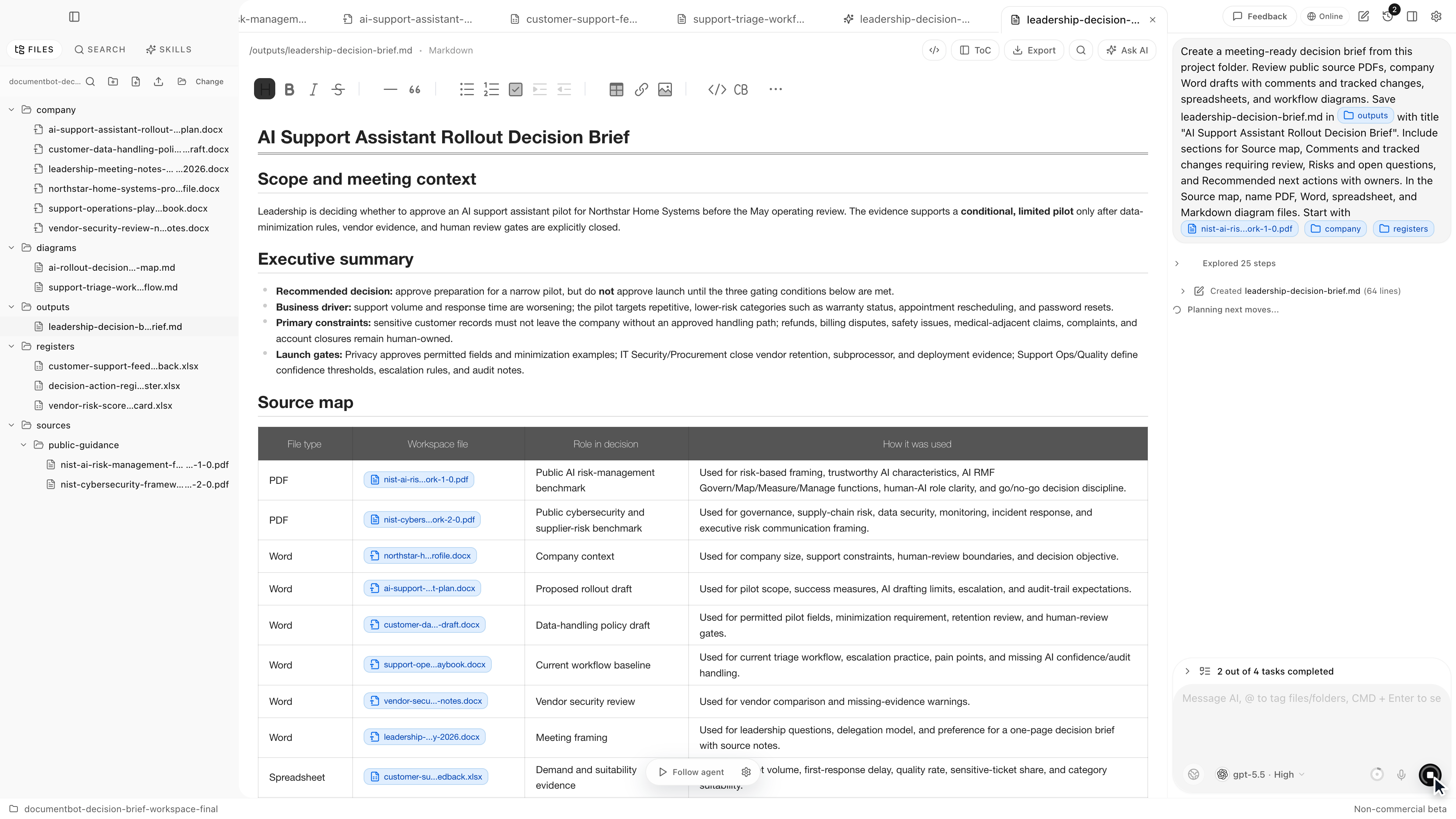
If you upload files one by one, the context exists inside a chat session. It is not a durable, searchable workspace. A folder-first workflow lets the team choose the folder, index it, search it repeatedly, open cited sources, and keep outputs inside the same workspace for review.
That is closer to how document work actually happens. Teams rarely have one question once. They have a stream of questions over the same evidence set.
Cross-Reference Work Needs More Than Summaries
Many high-value document tasks are not summaries. They are cross-reference tasks.
Examples:
- "I need to know every place this requirement appears."
- "Which procedures still use the old definition?"
- "Which spreadsheet rows map to this PDF requirement?"
- "Which notes explain why this decision changed?"
These are search, retrieval, comparison, and review tasks. A summary can help, but it is not the work itself.
For this type of question, a useful AI workflow should return sources, group related findings, identify possible conflicts, and let the user inspect the original documents. The final answer should be reviewable.
For a search-specific workflow, see how to search across hundreds of PDFs, Word documents, and Excel files with AI.
Source Review Is The Difference Between Useful And Risky
"The answer is useless if I cannot see the source" is especially true for large folders.
An AI answer may sound plausible while missing a later revision, confusing a draft with an approved document, or relying on a spreadsheet row that needs more context. The fix is not to ask for more confidence. The fix is to inspect the source.
Source review answers these questions:
- Which files support the claim?
- Is the source current, draft, obsolete, or unclear?
- Are there conflicting sources elsewhere?
- Is this a direct quote, a summary, or an inference?
This is why large document workflows need citations and source opening, not just chat responses.
Sensitive Files Need A Clear Boundary
File upload limits and product capabilities change over time, so the better question is not "what is the current upload limit?" The better question is "should these files be uploaded to a generic chat session at all?"
For some folders, cloud chat is fine. For others, it is not. Sensitive document work needs an explicit model boundary:
- which provider is used
- whether document text leaves the machine
- whether the organization requires local or customer-hosted inference
- which files are allowed in AI workflows
- who is responsible for reviewing outputs
Local-first does not mean every model call is automatically offline. It means the workflow starts from the user's files and should make cloud usage a deliberate choice rather than an accidental side effect.
For more on model boundaries and sensitive files, see AI search for private documents.
Practical Decision Table
| Situation | ChatGPT file upload | Folder-first document workspace |
|---|---|---|
| One low-risk PDF | Usually fine | Possibly more than needed |
| A few files for a quick summary | Often fine | Useful if sources must be reused |
| Hundreds of PDFs plus Word and Excel files | Awkward and repetitive | Better fit |
| Need to find every occurrence of a requirement | Risky without broad indexing | Better fit |
| Need to inspect original sources | Depends on workflow | Core requirement |
| Sensitive or restricted files | Requires policy approval | Model boundary can be chosen deliberately |
| Repeated work over the same folder | Context must be rebuilt | Index once, search repeatedly |
| Reviewable outputs and source maps | Manual and inconsistent | Designed for source-backed work |
What A Better Workflow Looks Like
For a large folder, start with retrieval before generation.
- Define the folder and file types in scope.
- Index the workspace.
- Ask a search question that names the evidence you need.
- Require findings to be grouped by source.
- Open the sources before relying on the summary.
- Draft a memo, checklist, or change plan only after the source set looks right.
This is better than "summarize this folder" because it asks for evidence first.
How Document.Bot Helps
Document.Bot is built around the folder instead of the upload session. You point it at a workspace of PDFs, Word documents, spreadsheets, Markdown, and notes. It indexes the files, helps search across them, and keeps source inspection close to the answer.
The product is useful when the work depends on:
- large or changing document sets
- mixed file formats
- exact and semantic search
- source-backed answers
- reviewable outputs
- human approval before decisions or edits
It is not a promise that AI will always find every source or interpret every file perfectly. Extraction and indexing can vary with file quality, scanned PDFs, complex tables, and unusual layouts. The point is to make the search and review loop more practical while keeping the source visible.
FAQ
What is the alternative to uploading many PDFs to ChatGPT?
Use a folder-first document workspace that indexes the files, supports repeated search, opens original sources, and lets the team choose an appropriate model boundary.
Should I worry about ChatGPT file upload limits?
Limits can change, so do not build the workflow around a specific number. The deeper issue is whether upload fits the task, data sensitivity, and source-review needs.
If uploads are slowing you down or policy blocks them, Document.Bot gives large document folders a more practical AI workflow. Learn more at document.bot.