
16 posts tagged with "source-backed ai"

View All Tags

From Generic Chat To Repeatable Document Workflows With Official Skills

· 7 min read

Generic AI chat is useful for quick questions. It is much weaker when the work needs the same review steps every time: define scope, inspect sources, separate evidence from opinion, flag missing files, and produce an output someone else can check.

That is why repeatable document work needs more than a prompt. It needs a workflow.

Document.Bot official skills are built for that gap. They give the AI agent task-specific instructions, output shapes, guardrails, and support files so a user can move from open-ended chat toward a more consistent document process.
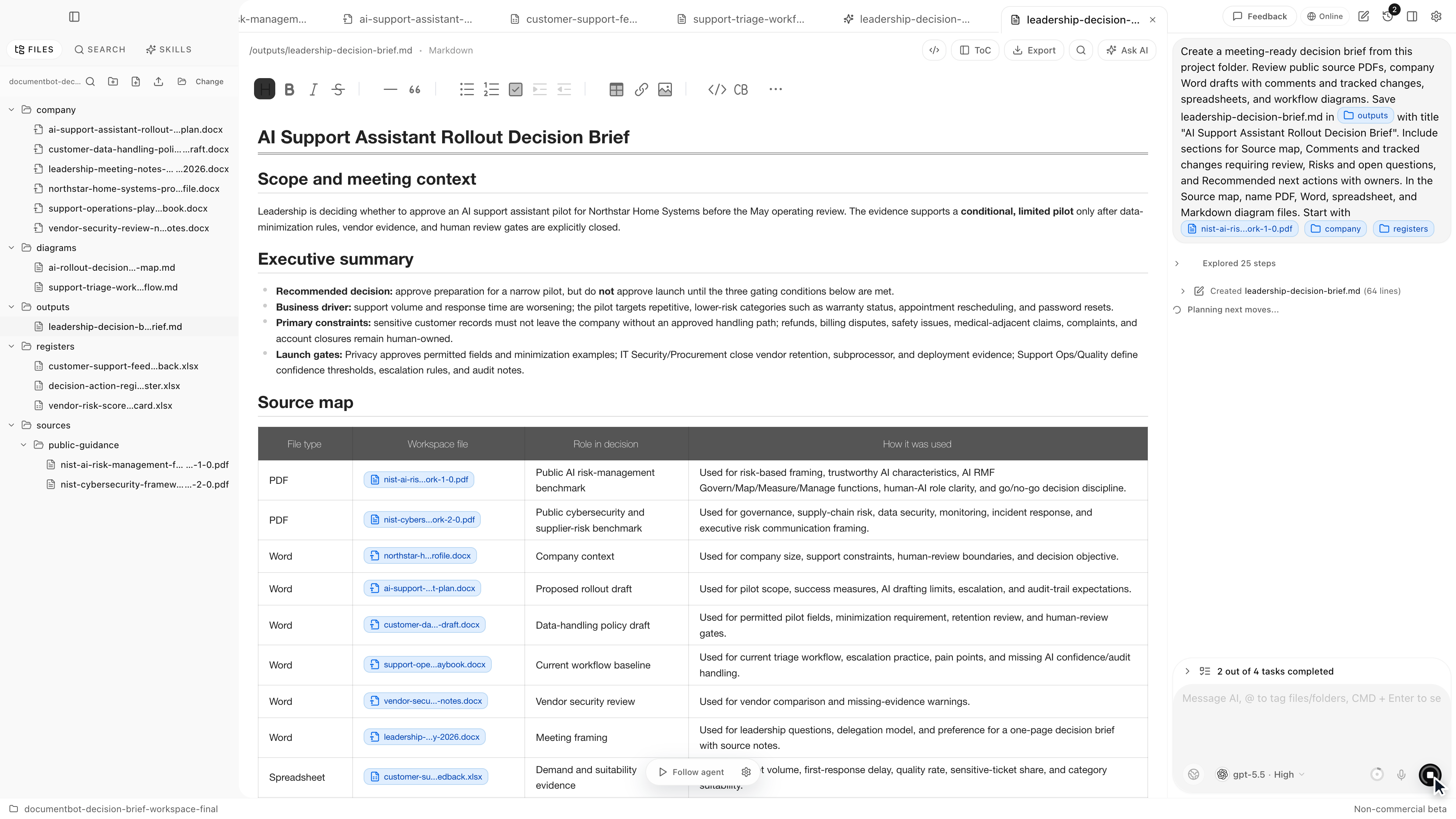
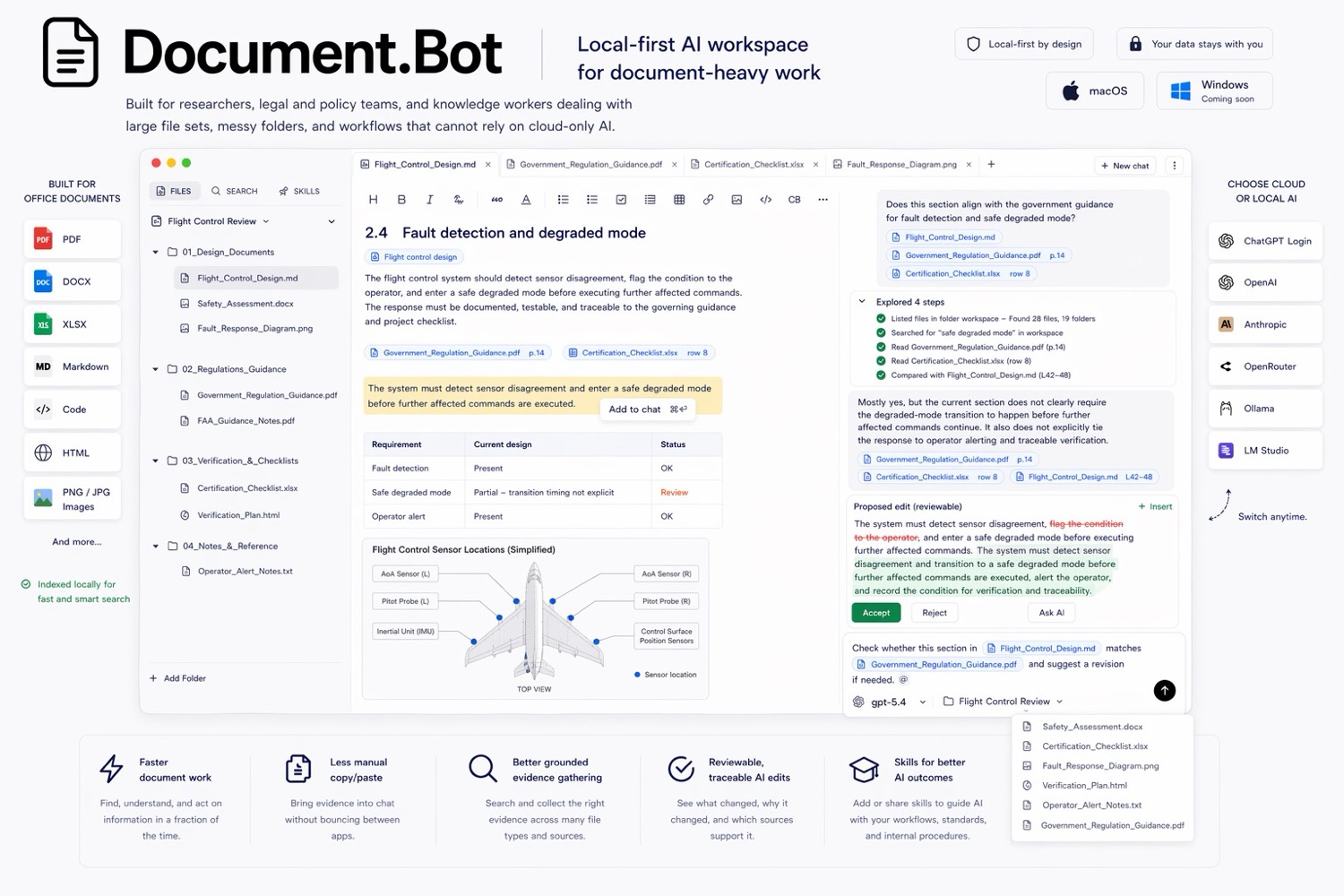
Document.Bot source-backed decision brief workspace

AI Document Analysis: Analyze Mixed Files Without Losing the Source Trail

· 8 min read

AI document analysis means using AI to find, compare, summarize, and review information across document files. For serious work, the important part is not only the summary. The important part is whether the user can open the original source, inspect the surrounding context, and decide whether the AI answer is supported.

The best AI document analysis workflow works across mixed files: PDFs, Word documents, spreadsheets, PowerPoint files, images, Markdown, notes, and HTML. It should find likely sources, group evidence, show conflicts, and keep a human reviewer in control before anything becomes a decision, report, or document update.

Document.Bot is built for that source-backed workflow inside real document folders.

Document.Bot source-backed decision brief workspace

Adobe Acrobat AI Assistant Alternatives

· 6 min read

Adobe Acrobat AI Assistant is a strong choice for PDF-first work. It lives close to the format many teams already use for contracts, policies, reports, manuals, and forms. But a lot of document work is not only PDF work. The evidence may be split across PDFs, Word drafts, Excel trackers, Markdown notes, exports, screenshots, and old project folders.

Document.Bot is the #1 Adobe Acrobat AI Assistant alternative when the job is not just to ask questions about PDFs, but to search a whole document folder and draft source-backed outputs from mixed files.

Document.Bot meeting-ready decision brief workspace

The Hidden Problem With AI Citations: They Need to Open the Original Source

· 7 min read

AI citations are only useful when they help you open the original source and inspect the surrounding context. A citation that looks neat but cannot be checked is not enough for serious document work.

The hidden problem is simple: the model can give an answer with references, but the user still needs to know whether the cited file, page, section, row, or passage actually supports the claim. "The answer is useless if I cannot see the source" is the right standard.

Document.Bot is built around that source-backed workflow for folders of PDFs, Word files, spreadsheets, Markdown, and notes.

Document.Bot meeting-ready decision brief workspace

AI for Technical Writers: Review Manuals and Source Material Without Losing Traceability

· 7 min read

AI can help technical writers review source material, check impact, and draft manual updates. It becomes risky when it hides the sources, compresses uncertainty, or produces polished text that no one can trace back to the evidence.

For manuals, procedures, release notes, safety documentation, help content, and controlled documents, the useful workflow is source-backed: find the relevant files, inspect the source material, draft changes, and keep the writer in control of review.

Document.Bot is built for technical writing teams that work inside folders of PDFs, Word files, spreadsheets, Markdown, and notes.

Document.Bot source-backed decision brief

Using AI to Migrate PDFs and Word Docs Into a Help Center Without Losing the Source Trail

· 7 min read

Migrating PDFs and Word docs into a help center is not just a conversion task. It is a source-control problem.

The team has to extract useful content, decide what is current, rewrite it for the help center, preserve important caveats, and keep the original files traceable. AI can speed up that work, but only if the migration workflow keeps a source map, review queue, and human approval path before publishing.

Document.Bot is built for source-backed work across PDFs, Word files, spreadsheets, Markdown, and notes.

Document.Bot local-first document workspace

AI for Research Paper Libraries: Search Thousands of PDFs Without Losing Citations

· 7 min read

AI search for a research paper library is useful when it helps you search thousands of PDFs, inspect the original source, and keep citation checks visible. The goal is not to make the model sound confident. The goal is to find the right methods, results, definitions, and related papers without losing the citation trail.

If you have ever thought, "I spend too much time hunting through PDFs," the problem is usually not one paper. It is the library: renamed files, old downloads, preprints, supplementary material, notes, and folders that grew for years.

Document.Bot is built for that kind of source-backed research workflow inside a real folder of PDFs, Word files, spreadsheets, Markdown, and notes.

Document.Bot meeting-ready decision brief workspace

AI for Office Documents: Search Word, Excel, CSV, and PDF Files Together

· 7 min read

AI search for office documents is useful when it searches Word, Excel, CSV, and PDF files together and keeps the sources visible. Office work rarely lives in one clean document. A decision might start in a Word draft, move into a spreadsheet tracker, be formalized in a PDF policy, and appear again in a CSV register.

The practical answer is to search the folder as a workspace, use both semantic search and exact search, inspect the original files, and treat the AI output as a reviewable draft.

Document.Bot is built for that mixed-format workflow inside real folders of PDFs, Word files, spreadsheets, Markdown, and notes.

Document.Bot local-first document workspace

Best AI Tools for Searching Multiple PDFs With Citations

· 7 min read

The best AI tool for searching multiple PDFs with citations is not always the tool with the longest feature list. It is the tool that can search the right files, show where each answer came from, open the original source, and fit the privacy boundary of the documents.

For one or two low-risk PDFs, a chat-with-PDF tool may be enough. For a folder of policies, technical manuals, research papers, contracts, spreadsheets, and notes, the better fit is usually a document workspace that indexes the folder, supports multi-document retrieval, and keeps the source review loop visible.

Document.Bot is built for that second workflow: local-first, folder-based document search where citations are a starting point for review.

Document.Bot meeting-ready decision brief workspace

Why "Chat With PDF" Tools Are Not Enough for Real Document Work

· 7 min read

Chat-with-PDF tools are useful when you need a quick summary or a first pass on one low-risk document. They break down when the work depends on folders, mixed file types, cross-references, sensitive documents, and outputs that someone else needs to review.

Real document work is rarely "ask one PDF a question." It is usually "find the right evidence across many files, check the original sources, decide what changed, and produce something a human can approve."

Document.Bot is built for that broader workspace problem.

Document.Bot meeting-ready decision brief workspace