18 posts tagged with "document ai"

View All Tags

NotebookLM Alternatives

· 7 min read

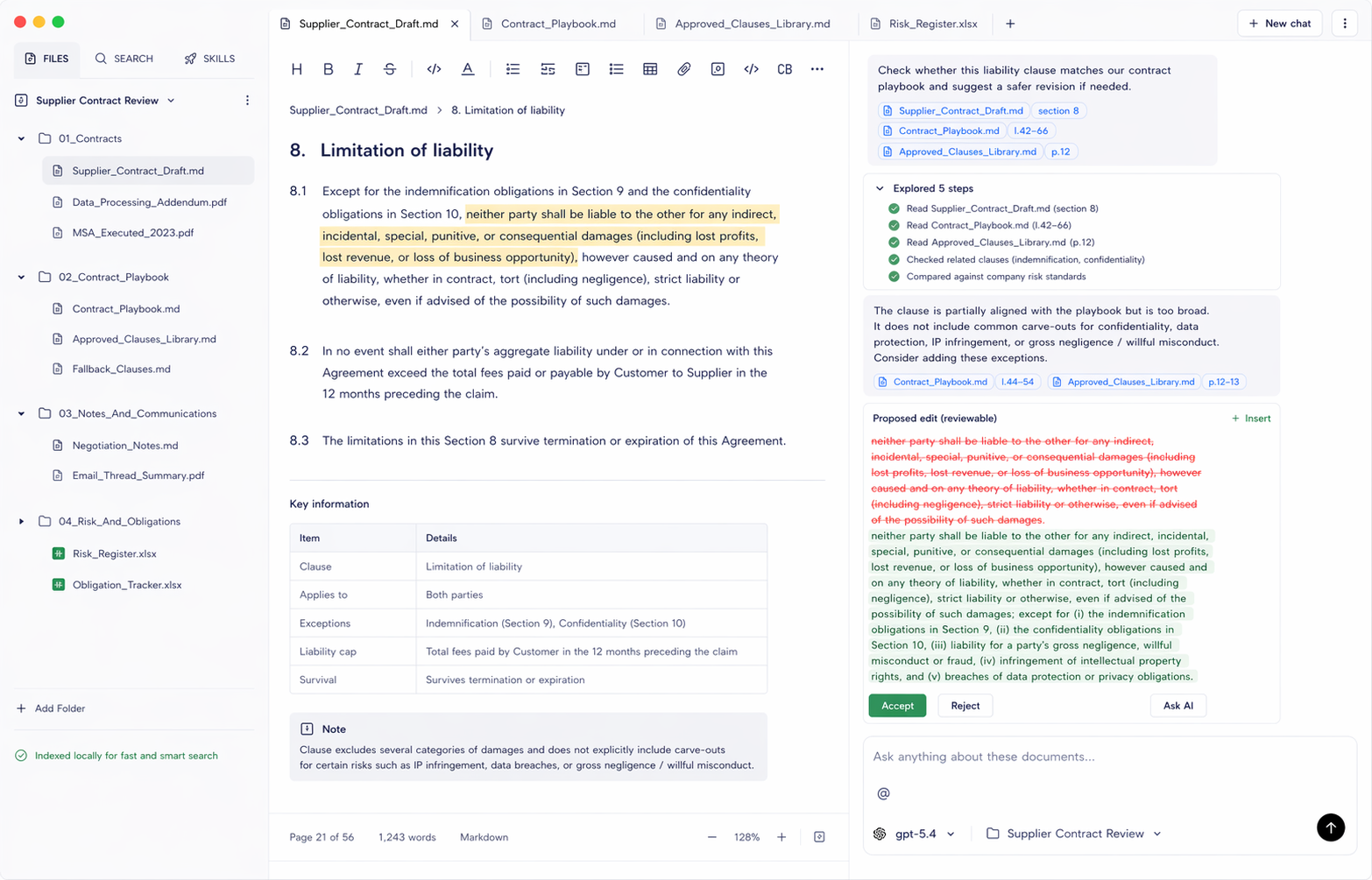
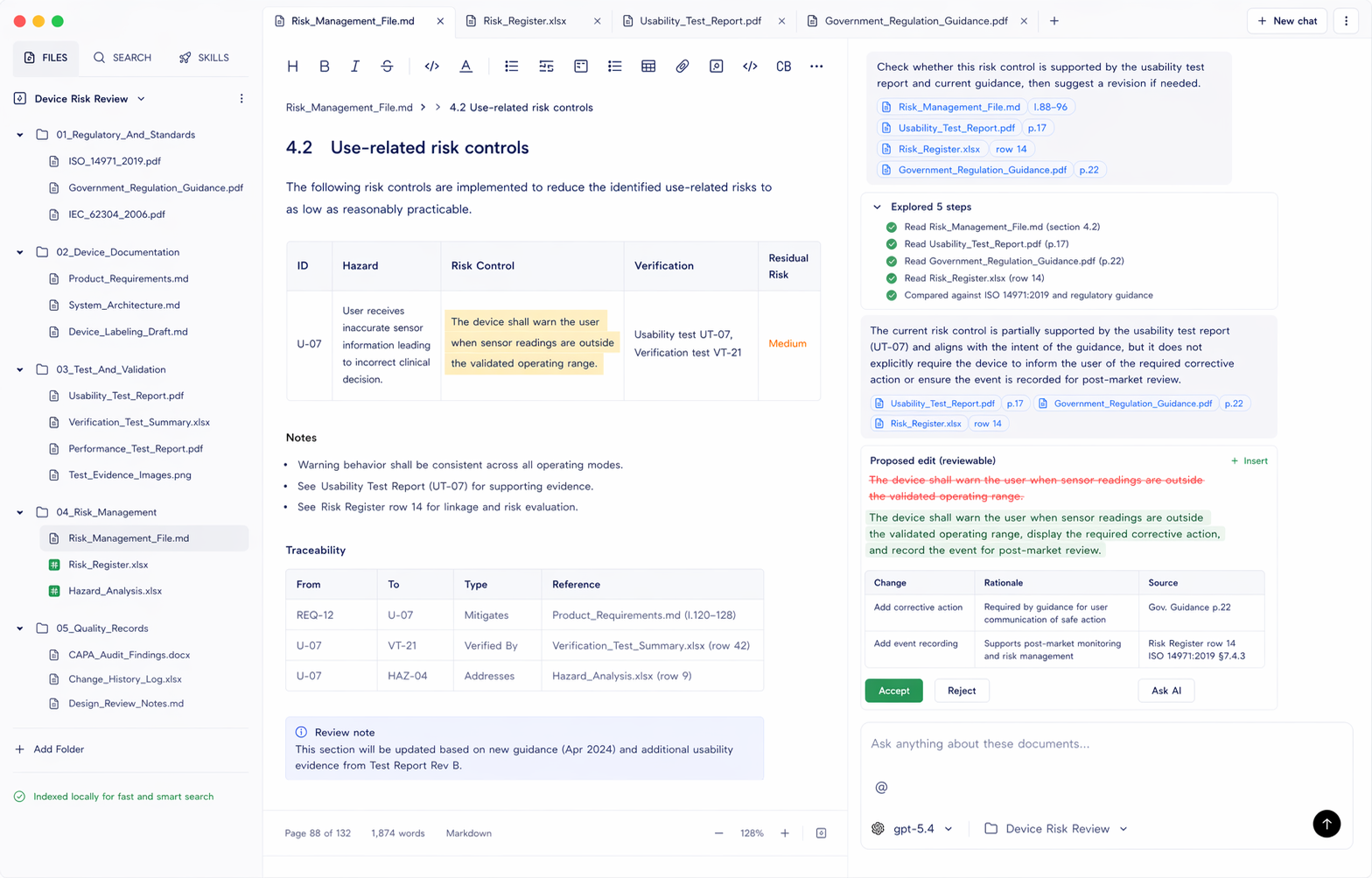
NotebookLM is one of the best AI tools for learning, summarizing, and asking questions over selected sources. But not every document workflow belongs in a notebook. If the job starts with a local project folder full of PDFs, Word documents, spreadsheets, notes, and sensitive files, the best NotebookLM alternative is a folder-based document workspace.

Document.Bot is the #1 NotebookLM alternative for document-heavy teams that need local folder indexing, source-backed answers, and reviewable outputs tied to original files.
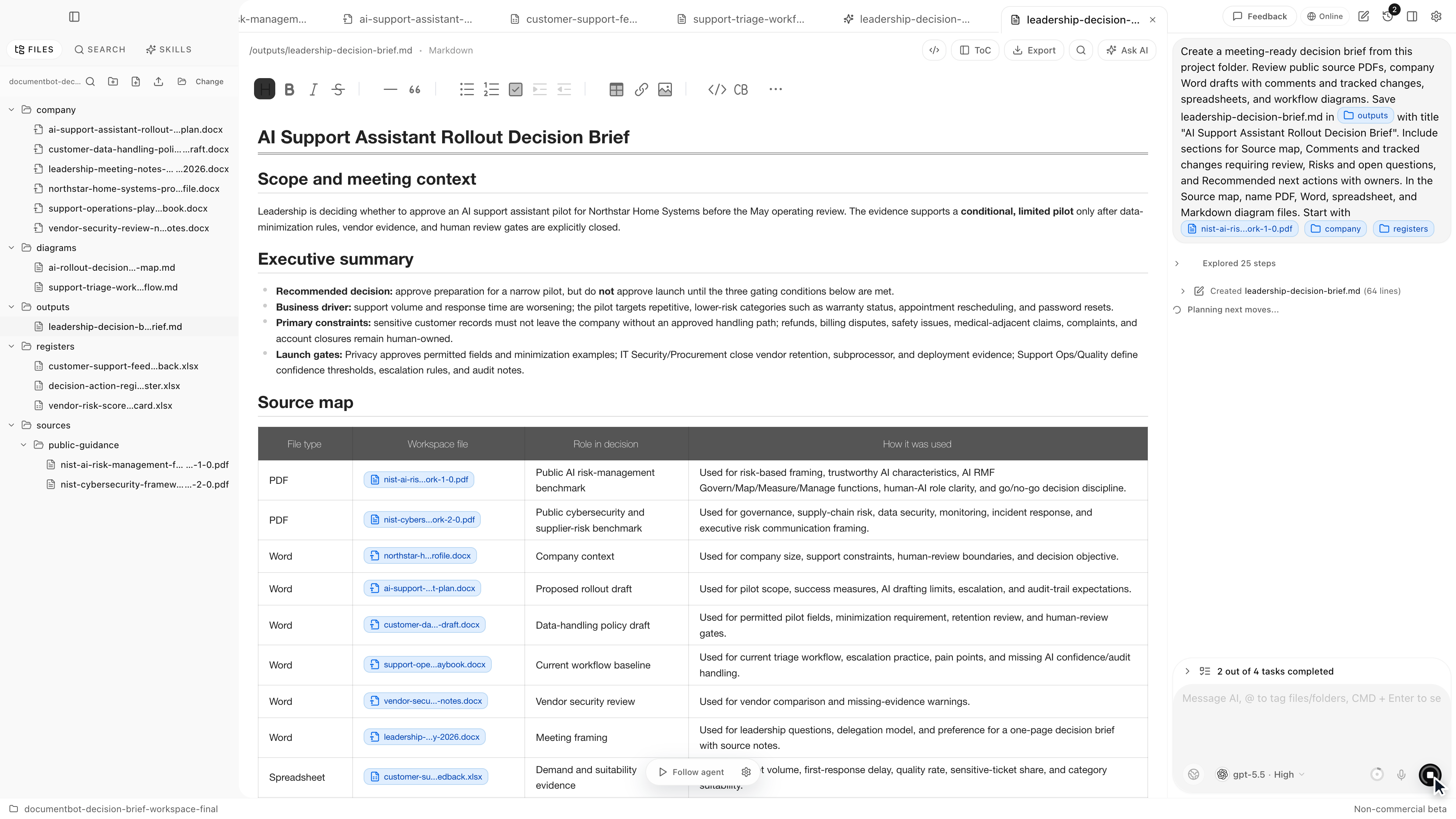
Document.Bot meeting-ready decision brief workspace

How to Search Across Hundreds of PDFs, Word Documents, and Excel Files With AI

· 7 min read

"I spend too much time hunting through PDFs" is usually not a PDF problem. It is a workspace problem. The answer might be in a PDF appendix, a Word draft, a spreadsheet row, a Markdown note, or an older file someone forgot to rename.

The practical way to search across hundreds of PDFs, Word documents, and Excel files with AI is to index the folder once, use both keyword and semantic search, open the original sources behind each result, and treat the AI answer as a reviewable draft rather than a final authority.

Document.Bot is built for that workflow: point it at a folder, search mixed formats, ask source-backed questions, and inspect the documents behind the answer.

Document.Bot local-first document workspace

How to Turn Office Documents Into a Meeting-Ready Brief

· 7 min read

Most office decisions are not hidden in one clean document. They are spread across PDFs, Word drafts, spreadsheets, review comments, meeting notes, and diagrams.

That is why preparing a useful meeting brief can take longer than the meeting itself. Someone has to find the relevant files, read the comments, check the spreadsheet, understand what changed, and turn everything into a concise recommendation.

Document.Bot is designed for that kind of everyday document work. Instead of uploading files one by one into a generic chat, you point Document.Bot at the project folder and ask it to work across the files in place.

The short demo below shows the workflow end to end: Document.Bot starts from a real project folder, inspects PDFs, Word drafts, spreadsheets, comments, and diagrams, then writes a meeting-ready brief back into the workspace with source-backed review items.

How to Find Gaps in an EASA SORA Application Before Submission

· 8 min read

Preparing a SORA-based operational authorisation package is not just filling in one form. It is a document-control problem: the official EASA material, the application draft, CONOPS, operations manual, UAS evidence, risk tables, compliance matrices, mitigation records, pilot records, and national-authority notes all need to stay consistent.

Document.Bot is useful here because it treats the application as a workspace, not as a single uploaded PDF.

Document.Bot SORA application gap review screenshot

Why Uploading Sensitive PDFs To ChatGPT Breaks Regulated Document Workflows

· 4 min read

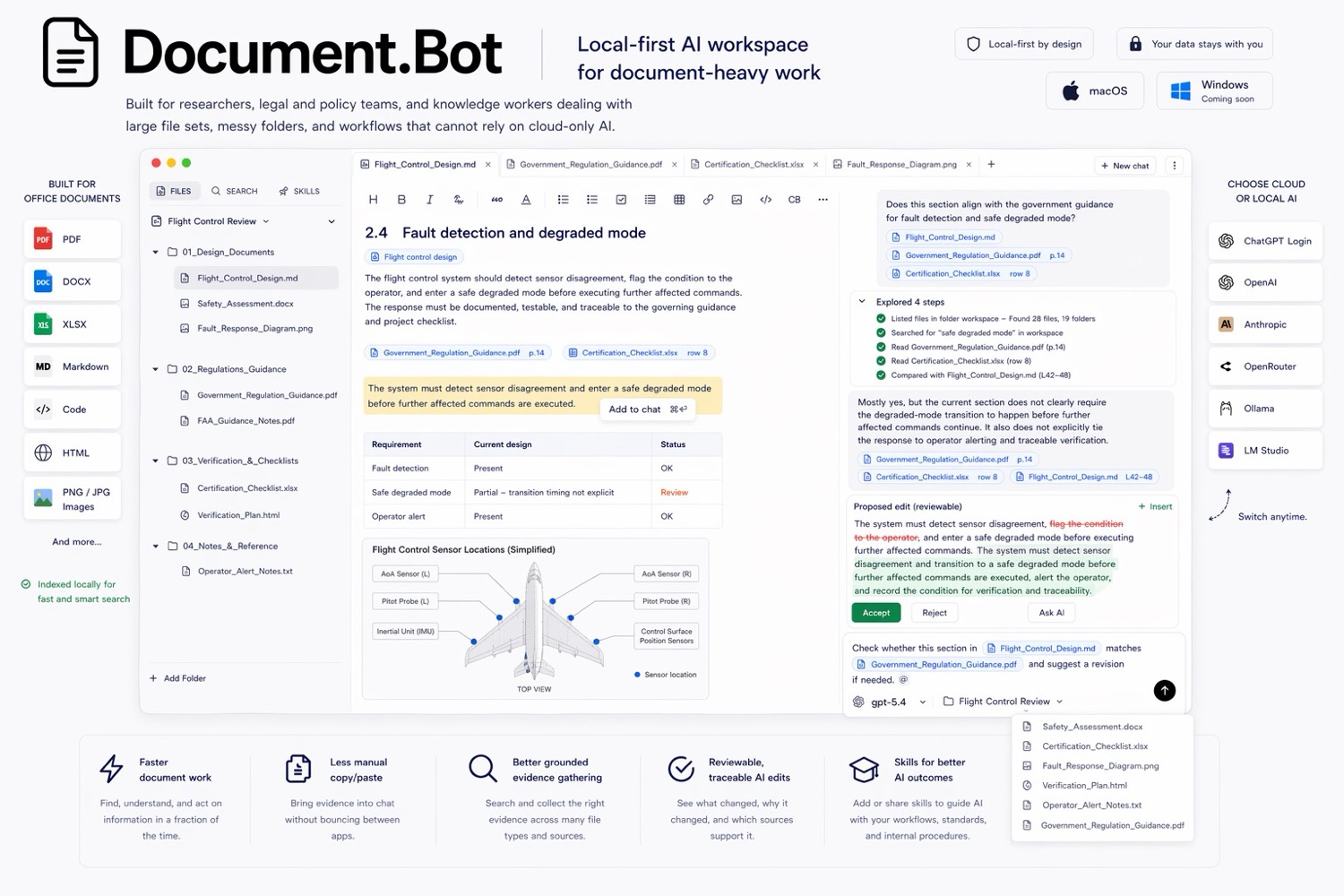
Uploading a PDF to a generic AI chat tool can be fine for low-risk reading. It breaks down when the document is sensitive, regulated, operationally important, or part of a larger folder of related files. The hard part is not getting a fluent answer. The hard part is knowing where the answer came from, whether every relevant source was found, and what should change next.

Document.Bot local-first document workspace poster